The whole run, step by step.
One launch takes the approach from a blank cockpit to a configured aircraft at the selected start: an ILS final, an RNAV/RNP Final segment, or an offered named Full procedure entry. Here's each step, in order, then where Intercept is headed next.
Choose the approach.
Pick an airport, filter by All, ILS, or RNAV, then select an approach. ILS uses the selected final distance. For RNAV/RNP, the selected Final segment or named Full procedure entry determines where the coded setup begins. Join distance may still appear in the selector, but it does not move a coded RNAV/RNP spawn. Everything after selection is handled by the launch workflow.
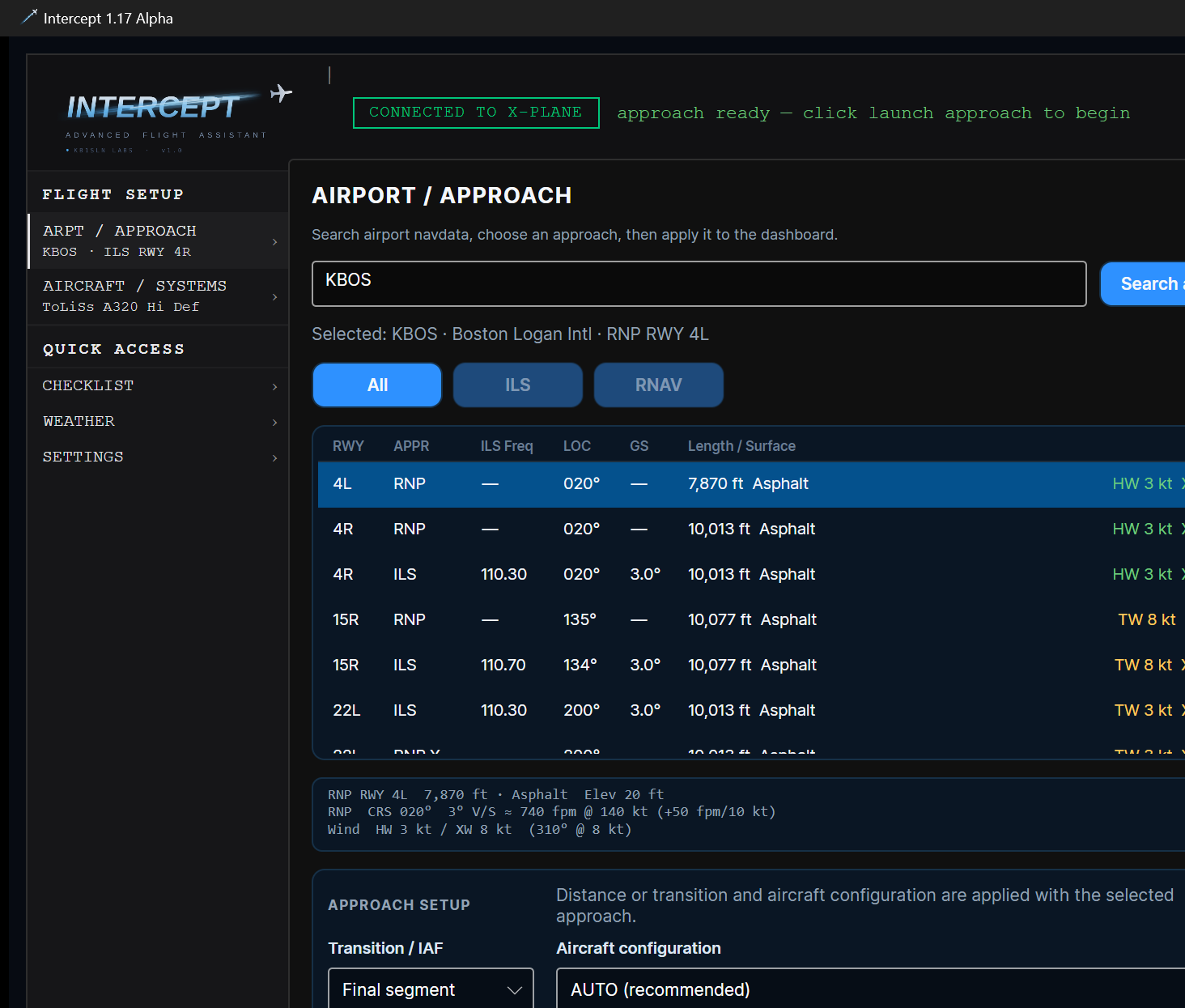
Programmed before you're airborne.
Intercept builds the approach package: it programs the MCDU and F-PLN, applies ILS frequency and course details for an ILS approach or the selected coded RNAV/RNP path, and fills in approach performance and landing configuration. The approach is programmed before the aircraft is in the air.
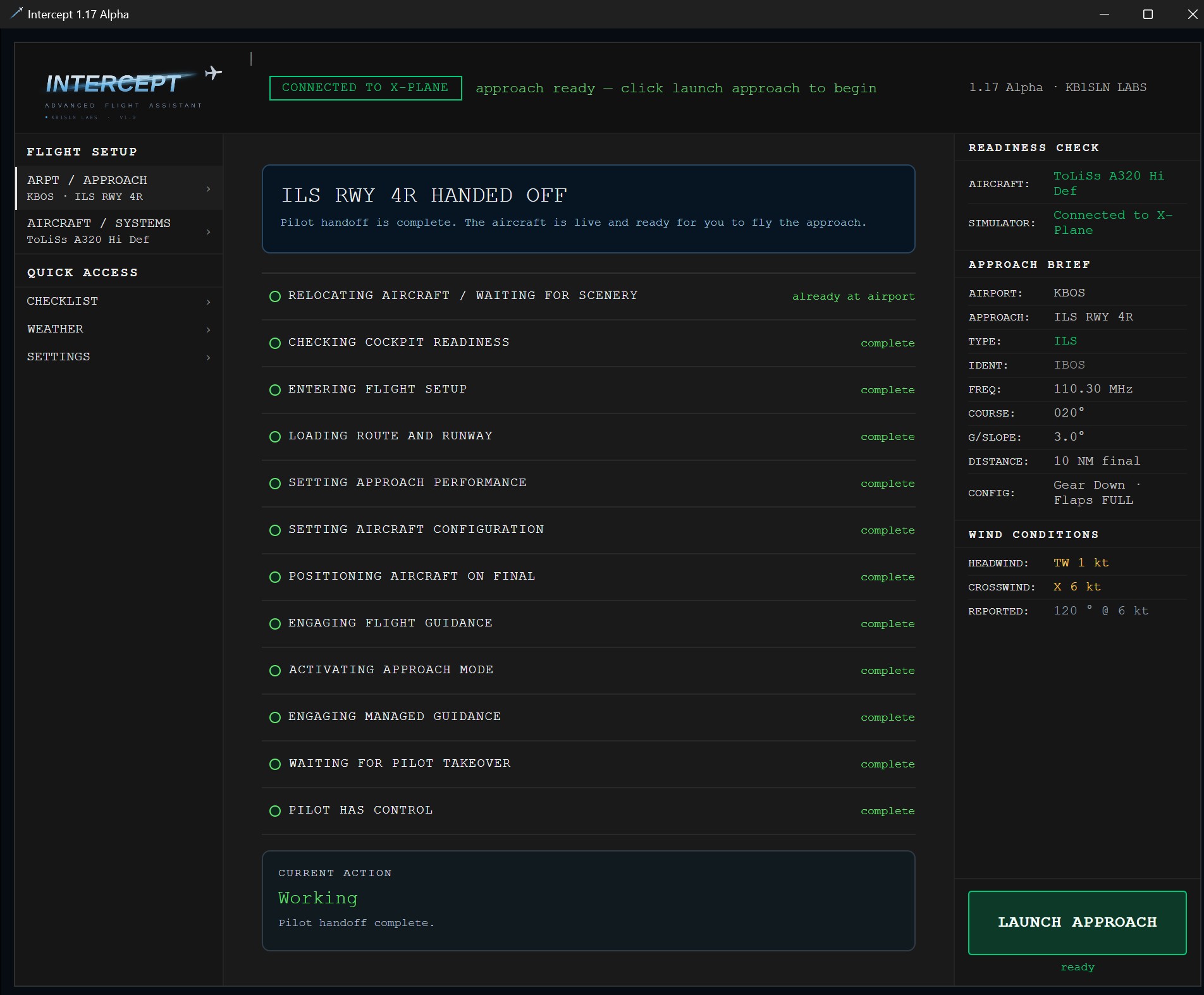
The launch runs live.
Hit launch and Intercept works through the setup in order: checking cockpit readiness, entering flight setup, loading the route and runway, setting approach performance, setting the aircraft configuration, positioning at the selected approach start, engaging flight guidance, activating approach mode, engaging managed guidance, then waiting for your takeover. A Full procedure entry may begin well before final.
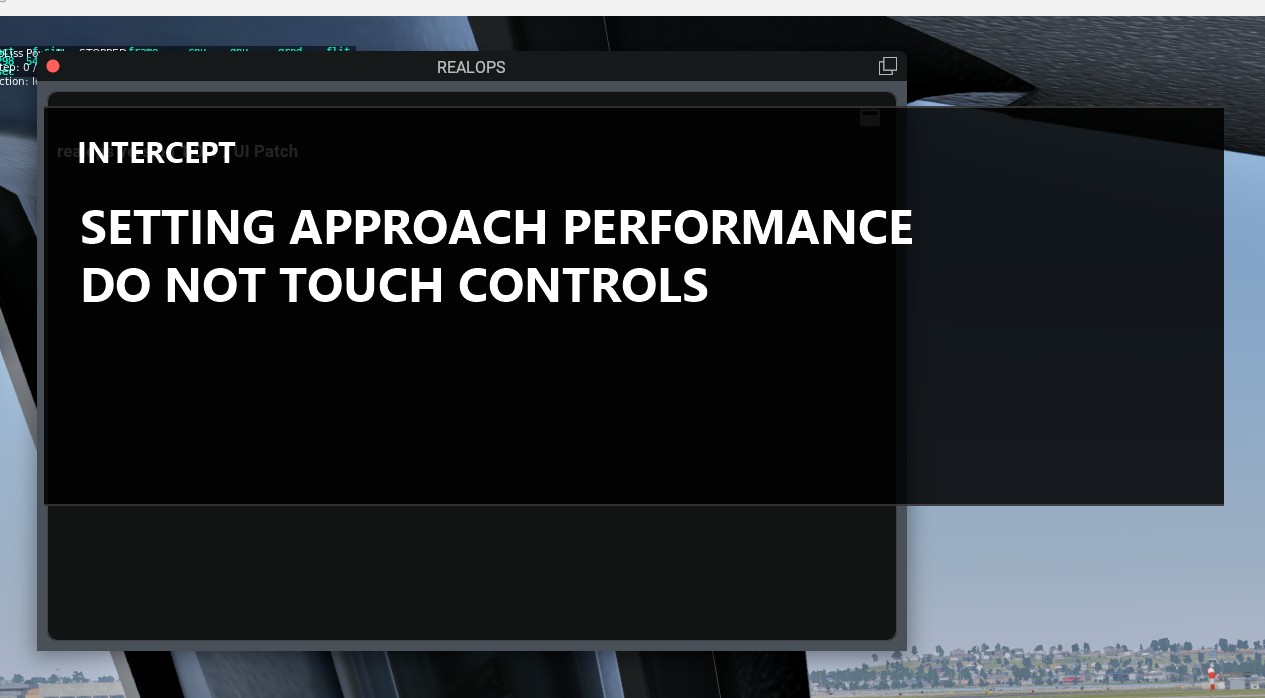
Mirrored on the in-sim overlay.
The same phase list runs on an overlay inside the sim, so you don't have to watch the app. It tells you to keep your hands off the controls while Intercept sets up, and shows exactly where it is in the sequence.
Configured the way it should be.
By the time it's done, the aircraft is configured for handoff in the selected release configuration, with gear and flaps set as applicable, target speed for that configuration, flight directors on, and autothrottle engaged. For ILS, Intercept establishes the final-course and glidepath setup. For RNAV/RNP, it establishes the selected coded lateral path and the approach brief states the pilot's remaining vertical work.
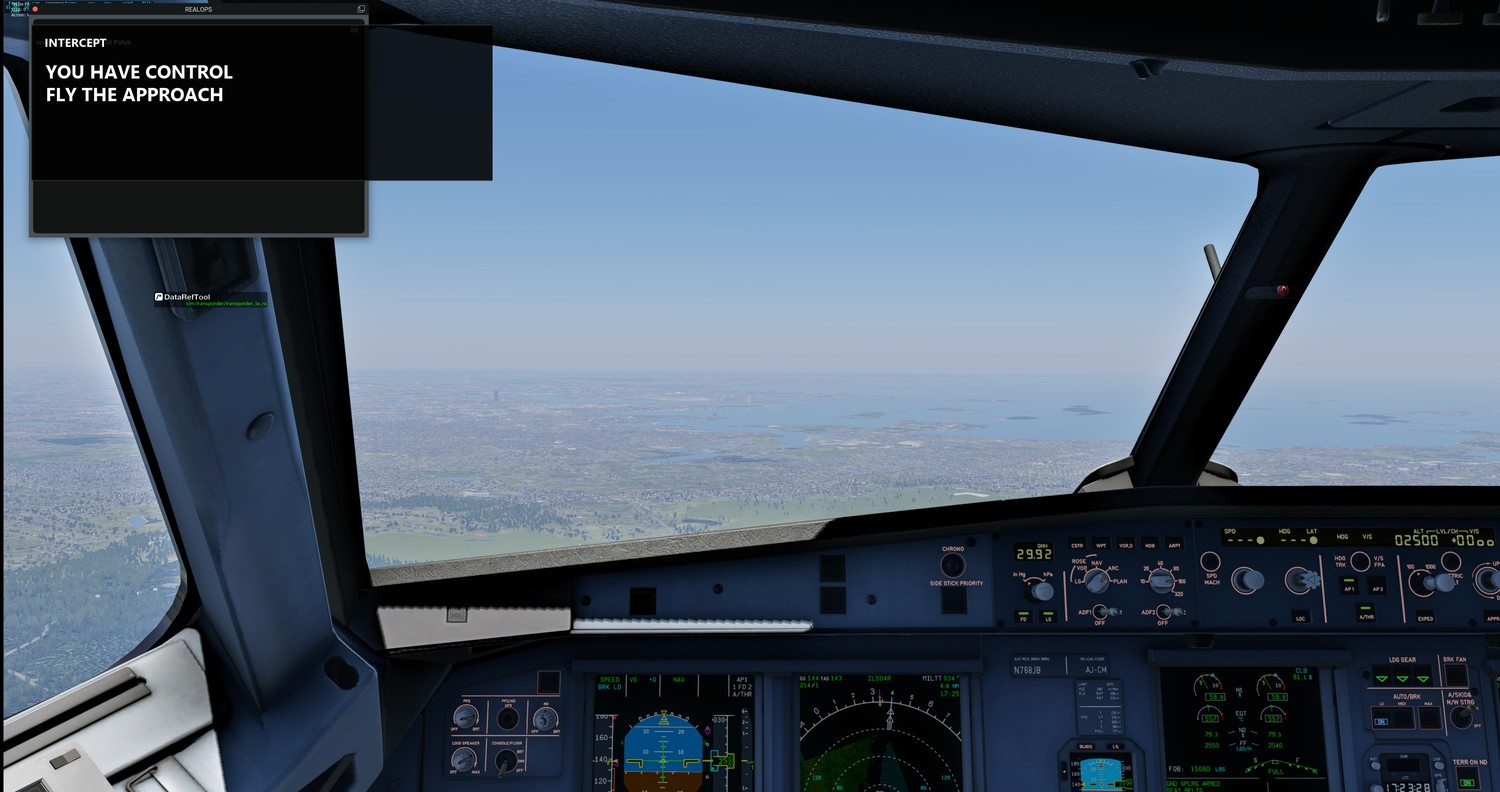
You have control.
When everything's set, Intercept hands the aircraft to you.
“You have control. Fly the approach.”
Fly the selected approach by hand or on the autopilot. Today Intercept sets up and hands off; reviewing the approach afterward is on the roadmap.
Then reset and go again.
The value is reps. Set the same approach again and practice the part that matters, instead of the setup before it.
More is on the way.
Visual approaches, more entry points and aircraft, a scenario builder, and post-flight review are all planned. None of it is available yet.
See the full roadmapThe alpha has ended.
Thank you to every tester who helped shape it. A licensed release follows once it's hardened.
See the release roadmap X-Plane 12 · Windows · 1.17 Alpha